 or manually
  or
or  your drivers.
 Drivers are any conditions that initiate and support activities for which your company was designed. Drivers could be as varied as deliveries, revenues from orders, or number of returns, etc.
Use the Drivers screen to or manually or your drivers.
If you are uploading new drivers, first select  to review how data is organized in a spreadsheet. It is necessary that your data spreadsheet replicate the style of the template.
What if the records fail to upload?See Edit Failed Records.
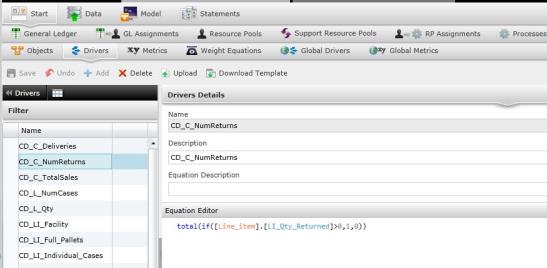
Select the driver in the left column. The right panel will open with the driver name, description, and equation description. On the bottom right panel is the "Equation Editor."
Type "(" in the Equation Editor to make a pop-up box appear. Choose from functions, cost objects/drivers/processes or process time variables to add to the equation. You can also add another Driver Equation to the equation by selecting a driver in the Drivers window, copying the equation and pasting it in the new driver's Equation Editor.
Select  to save the equation.
To return to the previous screen, select  next to Drivers.
Related Topics: